Reading Eggs - Learn to Read
- 4.3
- Rating
- 1.00M
- Installs
- Free
- Price

 Analysis by App-foxy
When I look for a reading app for a child, I want more than bright animations and a collection of random letter games. I want a path that feels understandable, a level of challenge that does not turn practice into a battle, and enough variety to keep a young learner interested after the novelty wears off. Reading Eggs is built around that kind of guided learning, making it a serious option for families who want screen time to support early literacy rather than simply occupy a child.
This is an education app from Blake eLearning Pty Ltd, aimed at children from age two through thirteen. That is a wide range, so the experience matters less as a single game and more as a learning environment that can grow with a child. I found it most convincing for children beginning to connect sounds, letters, words, and simple sentences, although older children may also find useful practice if their reading confidence needs rebuilding.
The app is free to install and suitable for everyone, with optional in-app purchases ranging from $4.99 to $99.99 per item. It has reached over a million installs and holds a 4.3 average from around twelve thousand ratings, which suggests that many families see enough value to keep it in their learning routine. Those figures do not replace personal judgment, though. The important question is whether its structured approach matches the way your child learns.
You May Also Like

 Blood Strike: 2.5 Anniversary
Blood Strike’s Loadouts Turn Every Drop Into a Tactical Gamble
A close look at Blood Strike’s custom loadouts: how fast access to signature weapons reshapes its battle royale rhythm, rewards preparation, and narrows the gap between fights.

 Pandora - Music & Podcasts
Pandora’s Music Is Easy to Start, but Harder to Recover
Pandora’s strength is its low-effort path from a seed to a station. Its weak spot is how much confidence it asks you to place in connection, setup, and quiet recovery.

 8 Ball Pool
 Is Built on Rivalries, Rematches, and Routine
A close look at the rivalries, rematches, shared routines, and unanswered safety questions that turn a quick pool match into a persistent mobile community.

 Samsung Music
’s Quiet Strength Is Playing What You Already Own
Its reach comes less from spectacle than from dependable access to a personal library. That simplicity is both the app’s strongest retention engine and its ceiling.

 AccuWeather: Weather Radar
AccuWeather Review: A Quick, Clear Forecast for Everyday Decisions
For everyday plans, the best forecast is the one you can understand quickly. AccuWeather makes rain timing, radar, and local conditions easy to act on, with a few trade-offs.

 Hill Climb Racing
Why Hill Climb Racing Still Turns Crashes Into One More Run
A tiny car, a bumpy hill and one more upgrade: Hill Climb Racing keeps resurfacing because its simple chaos makes every near-miss feel personal.
More From Our News Desk



How I would decide whether Reading Eggs fits
I would begin with the child, not the feature list. A preschooler who is just becoming curious about print needs short, encouraging activities and plenty of repetition. A child already reading simple books may need more work on fluency, spelling, or comprehension instead. Since the stated age range stretches from two to thirteen, parents should not assume every part will feel equally relevant at every stage.
I also think about the role the app will play. It works best as a regular practice tool, not as a replacement for being read to, talking about stories, writing by hand, or meeting a teacher. A few focused sessions can reinforce what a child is learning, but an app cannot notice every misunderstanding in the way an attentive adult can. My strongest recommendation is to use it as one part of a reading routine.
Another decision point is the child’s response to digital instruction. Some children enjoy moving through guided activities and seeing steady progress. Others become distracted by tapping, rush through questions, or prefer physical books and face-to-face help. If your child tends to guess quickly rather than listen carefully, I would plan to sit nearby at first. The app can provide practice, but an adult can slow the moment down and ask, “What sound do you hear first?”
Reading Eggs was released on August 13, 2019, and the current version is v2.20.1+132, with a minimum operating system requirement of version nine. For a family choosing between devices, that makes compatibility worth checking before committing to a routine. The practical issue is not just whether it installs, but whether the child has a comfortable screen, reliable access, and a quiet place to concentrate.
A learning routine that feels manageable
In everyday use, I would avoid handing over the device with no plan. A better routine is to choose a consistent moment, such as after breakfast or before a favorite television program, and keep the session focused. I would let the child complete a manageable amount, then ask them to demonstrate one thing away from the screen. For example, after working with a sound, I might ask them to find that letter on a cereal box or name another word beginning with it.
That small transfer is important. It shows whether the child is learning a reading idea or merely remembering where to tap. It also prevents the app from becoming an isolated reward system. The most useful sessions are the ones that lead naturally into conversation, a picture book, writing a name, or noticing words in the world around the child.
For a busy family, the app can be especially helpful when a parent needs a repeatable activity that does not require preparing worksheets. I can imagine using it during a short waiting period, while traveling, or after school when everyone has limited energy. I would still avoid making it the default solution for every spare minute. Children need breaks from screens, and reading development benefits from listening and handling real books too.
Where the app wins over ordinary alternatives
The clearest strength is its sense of progression. Many free literacy apps offer isolated matching games, alphabet songs, or quick quizzes. Those can be enjoyable, but they often leave the parent wondering what comes next. Reading Eggs is more appealing when you want activities to feel connected rather than randomly selected. That structure can reduce the daily decision-making that makes home practice difficult.
I also like the way a broad age range can support continuity. A child does not necessarily need to abandon the app as soon as they move beyond letter recognition. For families with siblings at different stages, having one reading-focused environment may be simpler than collecting several unrelated apps. The trade-off is that parents should pay attention to fit; a younger child and an older child may need very different levels of supervision and encouragement.
Its strongest use is probably the bridge between formal teaching and independent repetition. A teacher may introduce a sound pattern or reading skill, while the child uses the app to revisit it in a less pressured setting. That repetition can be valuable for children who need more time than a classroom schedule allows. I would not describe it as a shortcut, but it can make practice easier to sustain.
One less obvious benefit is that it gives parents an opportunity to observe learning habits. I would watch whether a child listens to instructions, retries after an error, recognizes a pattern in a new word, or simply taps until something works. Those observations are more useful than celebrating completion alone. If the child repeatedly succeeds only after guessing, I would pause the app and practice the underlying sound with physical letters or spoken examples.
Useful ways to get more from the activities
My first practical tip is to treat mistakes as information. Instead of immediately correcting an answer, I would ask the child to say the word slowly, point to the relevant letters, and try again. This turns an activity into a small lesson. It also helps reveal whether the problem is sound recognition, memory, attention, or unfamiliar vocabulary.
My second tip is to connect the digital lesson to a real object. If the activity involves a letter or sound, look for it on a book cover, food package, street sign, or handwritten note. This is a simple way to test transfer without turning the moment into a formal exam. Children often understand a concept more securely when they see it in several settings.
My third tip is to stop while the child still has some energy. Parents can be tempted to push through because the app makes another activity available, but extra minutes are not automatically better learning. A short session that ends positively is easier to repeat the next day. If frustration appears, I would switch to reading a physical story together rather than treating persistence as the only goal.
I would also keep expectations realistic about older learners. The upper end of the age range does not mean every thirteen-year-old will find the experience sufficiently advanced. A confident reader looking for deep literary analysis, extensive independent writing, or subject-specific vocabulary may outgrow a foundational reading app. In that situation, a library reading program, teacher-selected material, or a more specialized study tool could be a better match.
Where another kind of option may fit better
Compared with free alphabet games, Reading Eggs offers a more purposeful route, but it may feel less casual. If your only goal is to help a toddler recognize a few letters during occasional play, a simpler app may be enough. Paying for a broader learning path is harder to justify when the child will use it only once in a while or refuses guided activities.
Compared with paper workbooks, the app is more interactive and easier to repeat without printing. A workbook, however, gives children direct practice with pencil control, handwriting, and page navigation. I would choose both when possible rather than treating them as competitors. A child who spends all practice time tapping may need deliberate opportunities to form letters and write words by hand.
Compared with a live tutor, the app is more convenient and consistent but less responsive. A tutor can change the explanation immediately, select a different example, and notice subtle confusion. Reading Eggs is a better fit for reinforcement and routine practice than for a child who needs intensive one-to-one intervention. If reading difficulties are persistent or affecting confidence, I would involve a teacher or qualified specialist rather than expecting an app to solve the whole problem.
Compared with a general educational platform, its narrower focus is an advantage for families who specifically want literacy practice. A broad platform may offer mathematics, science, creativity, and reading in one place, which can be convenient for a household seeking variety. The choice comes down to whether reading is the immediate priority or one subject among several.
There is also a cost decision. The app itself is free, but optional purchases can range from $4.99 to $99.99 per item, so I would inspect the available access carefully before assuming that every part of the experience is included. A free download can be a useful way to judge whether the child likes the style. I would let the child try it under supervision, then decide based on actual regular use rather than on the promise of a long-term curriculum.
Questions I would settle before making it a habit
Parents often wonder whether a child can use it independently. My answer is: sometimes, but I would not assume that from the beginning. A child comfortable with tablets may navigate activities alone, yet still need an adult to discuss unfamiliar words, manage distractions, and notice guessing. Independent tapping is not the same as independent reading.
Another practical question is whether it suits a very young learner. For a two-year-old, I would keep sessions brief and stay close by. At that age, the most valuable outcome may be positive contact with books, sounds, and language rather than completing a large sequence of activities. The app can supplement that experience, but conversation and shared reading should remain central.
Families may also ask whether it is appropriate for a struggling reader. It can provide repetition without the embarrassment some children feel when reading aloud to others, and that is a real advantage. Still, I would use it alongside human support. If a child cannot explain why an answer is wrong, repeatedly avoids reading, or becomes distressed, the next step should be a conversation with the child’s teacher rather than simply increasing app time.
Device access is another consideration. The minimum operating system is version nine, but compatibility alone does not guarantee a comfortable experience. I would check the screen size, sound, battery, and whether the child can use the device without constant interruptions. A technically supported device that is shared by several family members may make consistent practice harder than a less exciting but always-available book basket.
Finally, I would ask whether the purchase model suits the household. The free starting point lowers the barrier to trying it, while the range of optional purchase prices means the long-term commitment deserves a deliberate look. I prefer deciding after observing several real sessions: Does the child return willingly? Do they remember skills away from the screen? Does the app reduce conflict or create more of it? Those answers matter more than a download count.
What switching to it would really involve
Moving from random reading games to a structured app can require a small adjustment. A child may initially prefer the fastest, most colorful activities and resist anything that feels like a lesson. I would explain that the goal is not to finish as quickly as possible. Sitting with the child for the first few sessions, celebrating careful listening, and stopping before frustration can make the change feel natural.
There is also a parent cost that is easy to overlook: attention. Even when the app supplies the activity, an adult may need to monitor whether the child is understanding, handle access decisions, and connect the lesson to real reading. That is not a flaw unique to this product; it is simply the difference between using an educational app well and treating it as an unattended babysitter.
If you are switching from paper materials, keep the parts that already work. Use the app for sound and word practice, then follow it with a short handwritten task or shared book. If you are switching from a general learning platform, introduce it as the dedicated reading portion of the day rather than replacing every other subject. This approach makes the change less disruptive and gives you a clearer sense of what the app contributes.
The most meaningful measure after switching is not how many activities a child completes. I would look for better behavior around print: attempting an unfamiliar word, noticing repeated sounds, asking what a word means, or reading a familiar sentence with more confidence. Progress can be uneven, so I would compare the child with their own earlier behavior rather than with another learner.
My recommendation for families choosing today
I recommend Reading Eggs to parents who want a dedicated literacy app with a guided feel and who are willing to stay involved enough to connect screen practice with real reading. It is particularly suitable for early learners who enjoy interactive tasks, children who benefit from repeated exposure, and households that want one reading-centered option across different stages of childhood.
I would be more cautious if your child dislikes structured digital activities, needs intensive personal instruction, or is already a fluent older reader seeking advanced comprehension and writing work. In those cases, books, teacher guidance, tutoring, or a broader study resource may serve the child better. The app is not a universal answer, and its wide age range should not be mistaken for identical value at every age.
For my own routine, I would start with the free access, sit beside the child long enough to understand how they respond, and avoid buying more until the practice becomes genuinely useful. I would keep sessions short, ask the child to apply one learned idea away from the screen, and pair the app with daily shared reading. That combination gives the digital lessons a purpose instead of letting them become another collection of taps.
Overall, this is a thoughtful choice when the decision is between scattered literacy games and a more organized reading habit. Its value comes from consistency, not from replacing the adult, the teacher, or the book. If you want a practical reading companion rather than a magic solution, Reading Eggs is worth trying first and judging by the child’s real-world progress.
FAQs for Reading Eggs - Learn to Read
01What is Reading Eggs - Learn to Read?
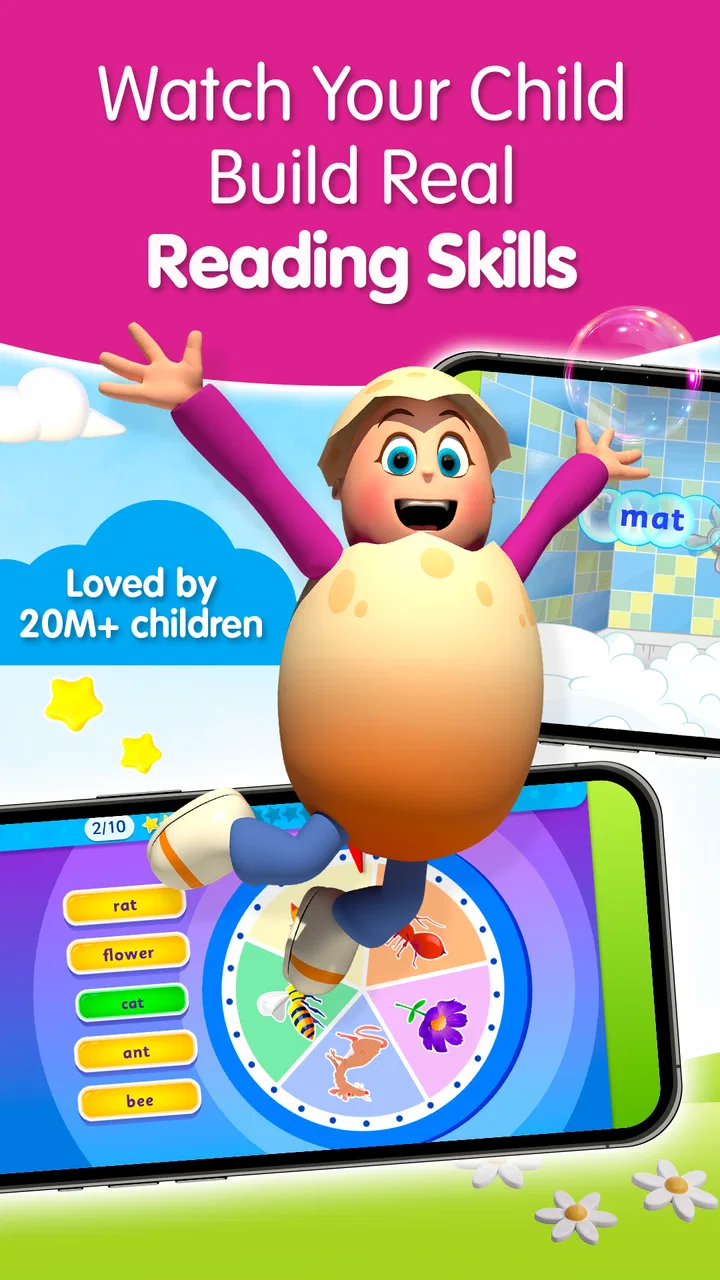
Reading Eggs - Learn to Read is an educational app designed to help young children develop early reading skills through structured lessons, phonics activities, animated videos, songs, games, and interactive exercises. The program generally covers letter recognition, sounds, sight words, vocabulary, comprehension, and basic sentence reading, making it suitable for children who are beginning to learn how reading works.
02What age group is Reading Eggs suitable for?
Reading Eggs is primarily aimed at preschool and early elementary school children, although the most appropriate level depends on each child’s existing reading ability. Younger learners can begin with foundational phonics and letter activities, while children with more experience may progress to word-building and comprehension lessons. Parents should review the available levels to choose a suitable starting point.
03Does Reading Eggs require a subscription or payment?
Reading Eggs typically offers access through a subscription, although availability, pricing, trial periods, and purchase options may vary depending on the country and whether the app is downloaded on Android or iOS. Some content may be available during a free trial, but continued access to the complete learning program generally requires payment. Check the current store listing before subscribing.
04Can children use Reading Eggs without constant parental assistance?
The app is designed to encourage independent learning, with spoken instructions, visual guidance, rewards, and child-friendly activities that help learners move through lessons on their own. However, younger children may still need occasional support, especially when starting, managing the subscription, or understanding unfamiliar words. Parents can improve results by checking progress and practicing reading together outside the app.
05Does Reading Eggs work offline, and is it safe for children?
Some Reading Eggs content may be available for offline use after it has been downloaded, but an internet connection can still be required for account access, updates, synchronization, or certain activities. The app is built for children and focuses on educational content rather than open social interaction. Parents should nevertheless review privacy settings, in-app purchase controls, and screen-time habits before allowing regular use.
Pros
- Engaging lessons combine phonics
- sight words
- and early reading practice.
- Progress tracking helps parents monitor a child’s learning development.
- Rewards and certificates can motivate children to complete activities.
- Activities are designed for independent use by young learners.
- Supports foundational reading skills before children begin chapter books.
Cons
- Some content may feel repetitive for children who learn quickly.
- The subscription cost may be high for families with multiple children.
- Younger users may need help navigating certain menus and activities.
- Progress can depend on regular practice and adult encouragement.
- The app requires a compatible device and a stable internet connection for some features.

Reading Eggs - Learn to Read
Gallery